Skip to content

Zola seating chart alternative

Zola’s seating chart is free for up to 15 guests and sits inside a full wedding planner. Here is what it does well, where the limit bites, and what stays free here.

Checked 22 October 2026 on Zola’s help page for the seating chart and its seating chart page. We did not sign in or use the tool.

What Zola’s seating chart does well

The strength of Zola’s chart is that it is part of the rest of your planning. Its page says your confirmed guests are pulled in from your Zola guest list with their groups already set, so there is nothing to import. You build floor plans with round or rectangular tables, add a dance floor, bar, cake table or head table, and keep separate plans for the ceremony, rehearsal dinner and reception. Guests can be tagged by group, dietary restriction or a label of your own. Zola’s help page adds that the chart is available on the iOS app and on desktop, that the two sync, that you can duplicate a chart to try another arrangement, and that you can download it as a PDF or an Excel sheet.

If your RSVPs are already on Zola and your guest count is small, that is hard to beat.

Where the 15-guest limit bites

The help page says you can try the chart free “for up to 15 Guests”, or unlock the Premium version to add more. It is enough for a small ceremony or an elopement dinner. A reception with a hundred guests is more than six times the limit, and the pages we read do not give a Premium price or a higher limit. We tested this planner with 48 made-up guests, more than three times Zola’s free limit, at 6 tables of 8:
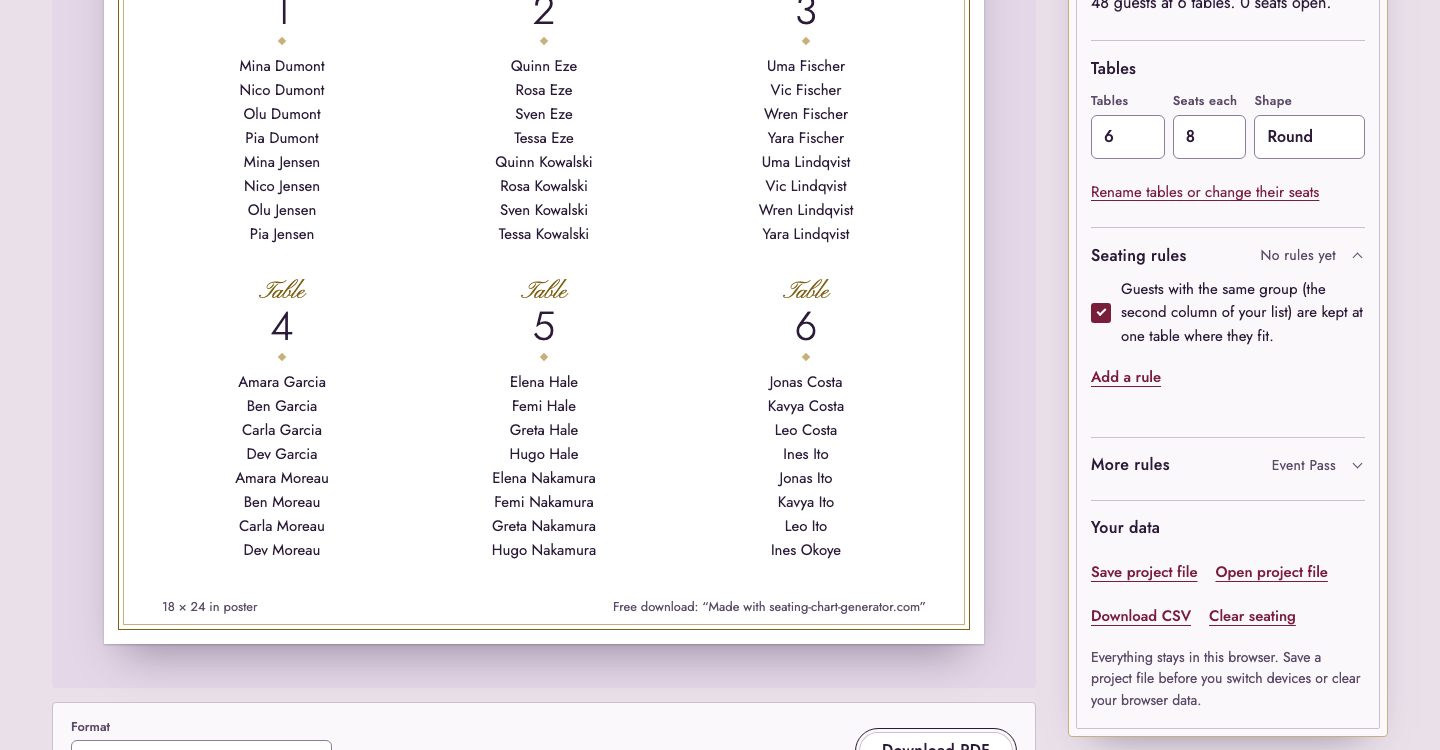
The planner after seating 48 guests at 6 tables: the result line, the style choices and the start of the poster for Rhea & Marcus
48 guests seated at 6 tables of 8, free, with no account. The tables are in the poster below the result line.

Zola’s seating chart and this planner side by side

Zola’s seating chart and this planner side by side
Zola (checked 22 October 2026)This planner
Guests in the free versionUp to 15No limit
More guestsPremium version (price not on the pages we read)Not needed; paying (Event Pass (US$14.90, paid once, 90 days) or the Planner (US$12.90 a month)) is for print options, not for more seats
Where the guest list comes fromYour Zola guest list, pulled inYou paste or upload it; nothing is uploaded
SeatingTap a table and add guests; drag to set seatsOne click seats everyone, families together; drag to change; together and apart rules
Several eventsSeparate floor plans for ceremony, rehearsal dinner and receptionOne plan at a time
DevicesiOS app and desktop, syncedOne browser; a project file moves the plan
DownloadPDF or ExcelPoster, A to Z list, table numbers and place cards as PDF; CSV with table numbers

See every guest and their table

The Guests view lists everyone with their group, meal and table in one place, and each cell can be changed in place. It is the quickest way to check a list of 48 against the poster.
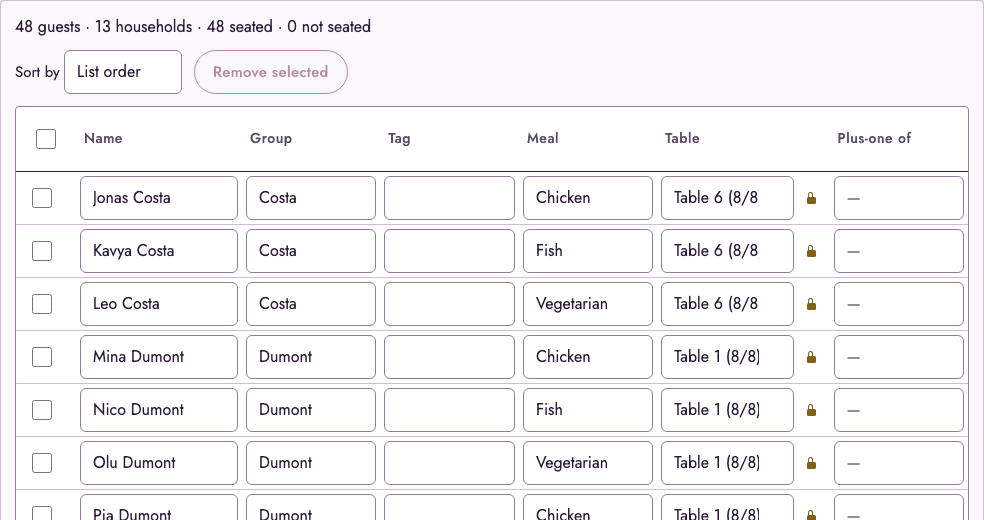

The Guests view: 48 guests, 13 households, 48 seated, with name, group, tag, meal and table columns
The Guests view for the same 48 guests: group, meal and table for each name. The meal column is what the caterer needs.

Which one to use

  • Use Zola if your RSVPs are there, you have 15 guests or fewer, or you are happy to unlock Premium, and you want ceremony, rehearsal and reception in one account.
  • Use this planner if you have more guests than that, do not want another account, or want the plan made from a list you already have, with rules such as keeping two people apart.

The limits here are real too: the plan is stored in your browser, there are no RSVPs, and one plan is open at a time. The WeddingWire seating chart page makes the same comparison for WeddingWire, and the place cards page covers the cards that come after the chart. Prices are on pricing.

Try the seating chart generator

Frequently asked questions

Your guest list stays in this browser and is never uploaded.