Wedding seating chart sign you can print
The sign at the entrance that tells every guest their table. Make it from your guest list, download it as a PDF, and print it at a print shop.
What goes on a wedding seating chart sign
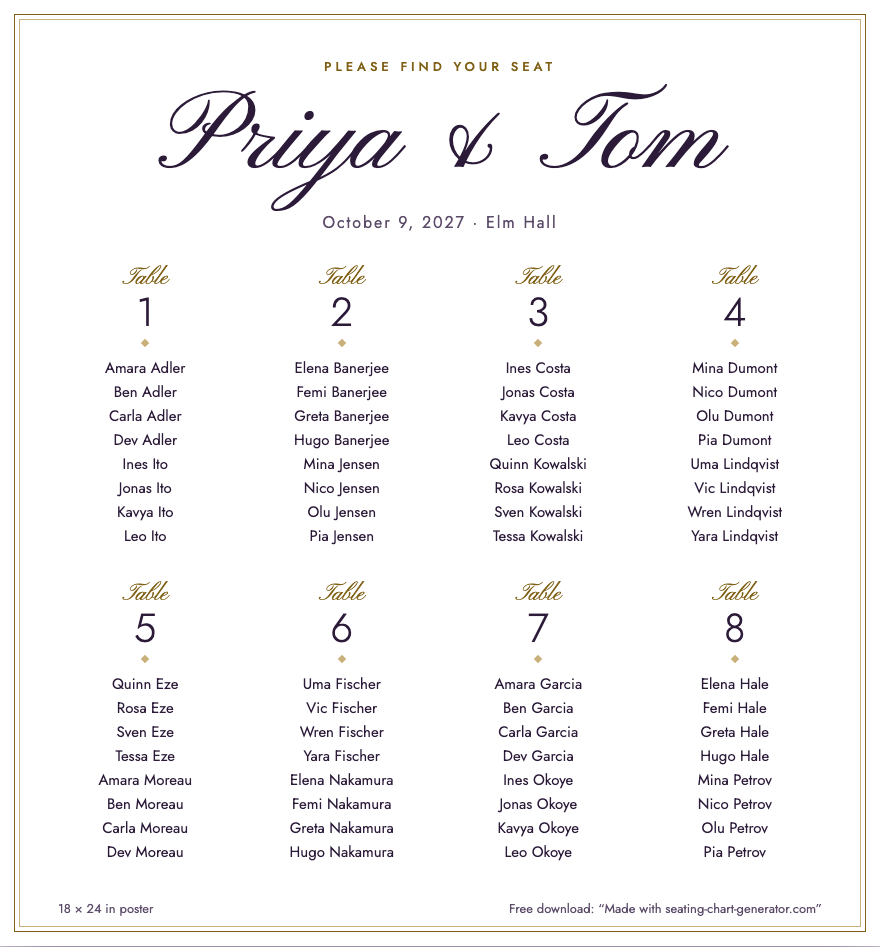
A seating chart sign has four things: the names of the couple, the date and place, a line that tells guests what to do, and every table with its guests listed underneath. The poster this planner makes is exactly that. Below it is a chart of 64 made-up guests at 8 tables of 8, as it looks on screen before you download it.
Choose the size of your wedding seating chart sign
Guests read the sign standing in a queue, so what matters is how large each name is. The free poster is 18 × 24 in; with the Event Pass or the Planner you can also choose 24 × 36 in, A2 or A1. We measured the name size by running the poster layout on 22 October 2026, with names about 15 characters long:
| Guests | Tables | Names on 18 × 24 in (free) | Names on 24 × 36 in |
|---|---|---|---|
| 40 | 5 tables of 8 | 33.4 pt | 44.6 pt |
| 80 | 10 tables of 8 | 24.6 pt | 32.7 pt |
| 120 | 15 tables of 8 | 19.2 pt | 29.6 pt |
| 200 | 20 tables of 10 | 16.3 pt | 24 pt |
For scale, body text in a book is about 10 to 12 pt, so even the smallest figure in the table is not small print. It is small for a sign: at 16 pt on 18 × 24 in, 200 names fill the whole sheet. Names longer than the ones we used are shrunk to fit their column, so a long list with long names comes out a little smaller than the table says. Above about 150 guests, pair the sign with the A to Z find-your-seat list (US Letter or A4), which the seating chart generator makes from the same list.
Download the sign as a PDF
- Paste your guest list and set the number of tables and seats. One guest per line; put the family name in the second column to keep a family at one table.
- Type the couple’s names and the date and place. They are printed at the top of the sign.
- Press Seat guests, then drag any name that should sit somewhere else.
- Open the Poster tab, choose the size and press Download PDF.
- Send the PDF to the print shop and ask for it at actual size, with no fit-to-page scaling. The PDF page is exactly 18 × 24 in (1296 × 1728 pt) for the free size.

What the sign costs
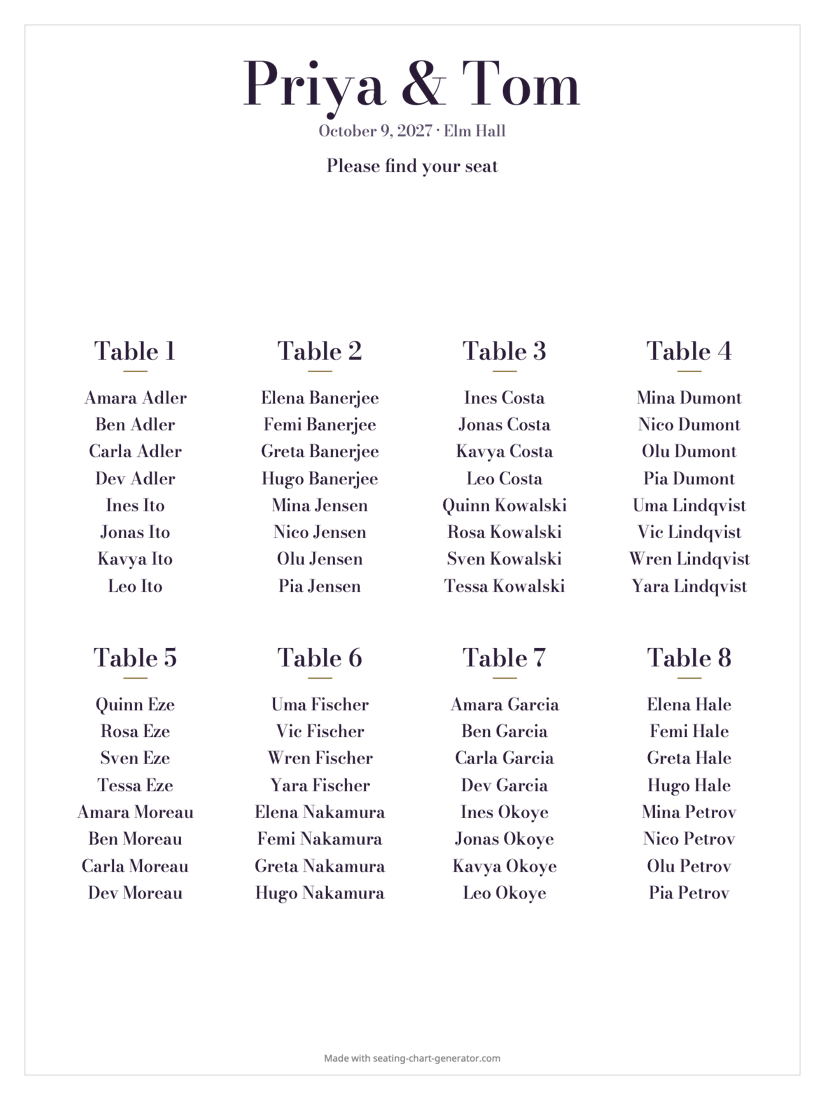
The sign is free to make and download, with any number of guests. The free PDF is 18 × 24 in in the Plum Proof style and has the line “Made with seating-chart-generator.com” at the bottom edge. Paid, there are two ways: the Event Pass (US$14.90, paid once, 90 days) or the Planner (US$12.90 a month). Either takes the line off and adds 24 × 36 in, A2, A1 and four more styles. See the pricing. Printing is paid to the print shop; we do not know what yours charges.
A printed sign from Shutterfly, or a PDF from here
Shutterfly sells printed boards, and that is a good answer for a different need: a finished board that arrives at your door. On 22 October 2026 its Gallery Seating Chart Celebration Photo Board was a 24 × 36 in board of 4 mm white corrugated plastic, printed on one side, shown at US$24.99 reduced from US$49.99, with free economy shipping on orders of US$99 and over; its wedding signs page lists more designs. We did not order one, so we cannot say how the print looks.
| Shutterfly board (checked 22 October 2026) | PDF from this planner | |
|---|---|---|
| What you get | A finished board, delivered | A PDF to print wherever you like |
| Size | 24 × 36 in | 18 × 24 in free; 24 × 36 in, A2, A1 with the Event Pass or the Planner |
| Names | Typed into their editor | Come from your seating chart, and follow it when you change a table |
| Price | US$24.99 at the time we looked | Free to download; printing is the print shop’s price |
Choose Shutterfly if you want one finished board without finding a print shop. Choose the PDF if your names change until the last week, or if you want to pick the paper or the board yourself.
Sign, table numbers and place cards
The sign tells guests which table; the table numbers show them where it is, and place cards tell them which chair. All three come from the same list, so a name changed once is changed on each.
Frequently asked questions
Paste your guest list into the seating chart generator, set the number of tables and press Seat guests. Type your names and the date on the poster, open the Poster tab and press Download PDF. The PDF is the sign: your names, then every table with its guests underneath.
Yes. The free PDF is 18 × 24 in with every table and guest on it, in the Plum Proof style, with a small “Made with seating-chart-generator.com” line at the bottom edge. Paying for the Event Pass or the Planner removes the line and adds 24 × 36 in, A2 and A1 and four more styles.
It depends on how many names it carries. In our test the names on an 18 × 24 in sign were 33 pt type for 40 guests and 19 pt for 120 guests; the 24 × 36 in sign gives 45 pt and 30 pt. The table on this page has all four cases. If the sign is read from more than a few steps away, take the larger size.
Probably not at 18 × 24 in: that needs a large-format printer, which a print shop has. For a home printer, use the A to Z find-your-seat list instead, which comes on US Letter or A4 and lists every guest with their table.
Send the PDF and ask for it to be printed at actual size, with no “fit to page” scaling. The page of the PDF is exactly the size of the sign (18 × 24 in for the free version), so a shop that prints it at 100% gets the size you chose. Print a small proof first if the shop offers one.
Change the list, seat the new guest and download the PDF again. If you have the Event Pass or the Planner, one click rebuilds every print file from the new list. The sign you already printed does not change, so check the list a week before the wedding and print once.